Agentforce Grid MCP
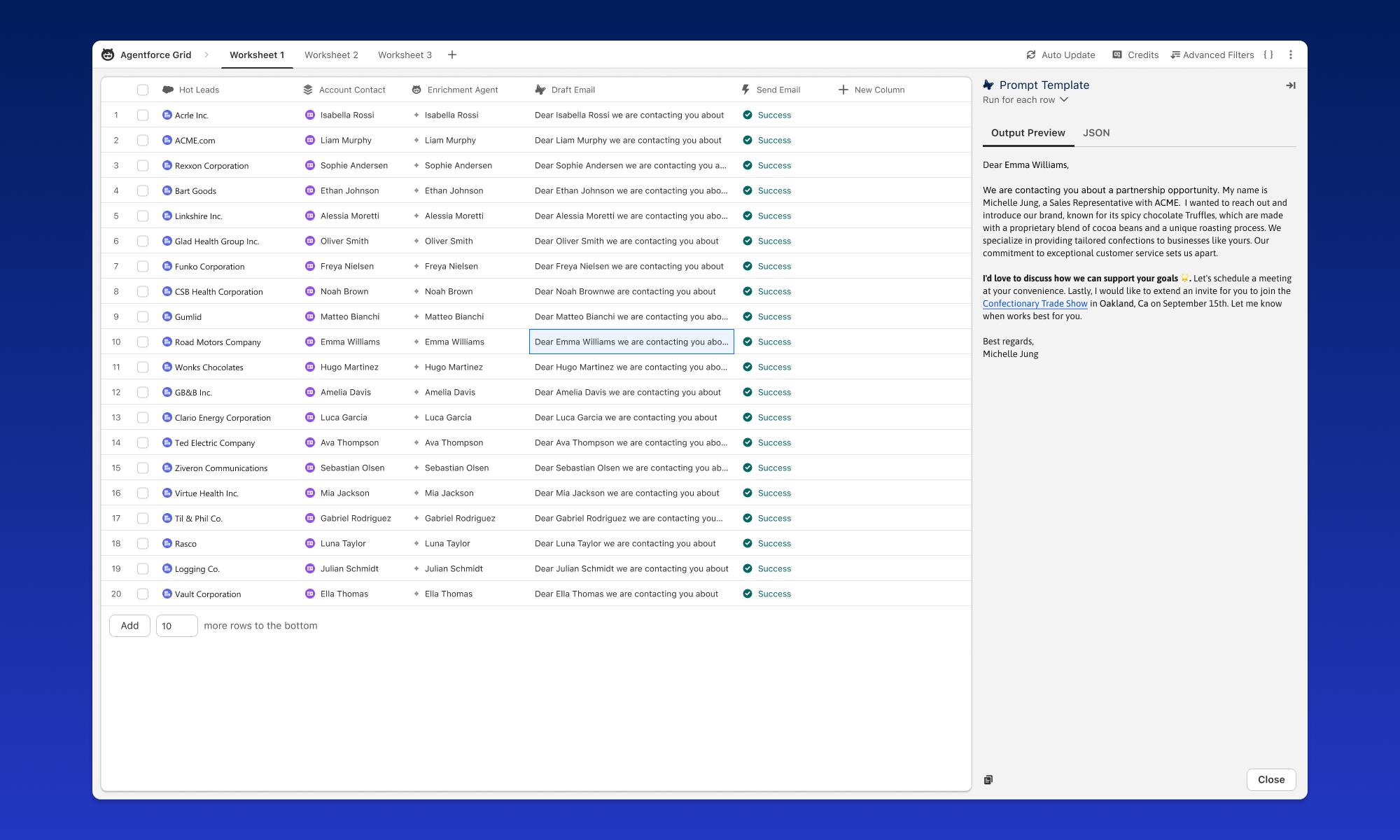
Equip Claude Code (or Cursor, VS Code Copilot, and other MCP clients) to manage Agentforce Grid workbooks directly. The official @salesforce/sf-grid-mcp server exposes the Grid Connect API as MCP tools — create workbooks and worksheets, configure every column type, run agent tests and evaluations, and read results back — all through natural language.
No cloning or building required: your MCP client fetches the package from npm on first run via npx. It authenticates against your existing Salesforce CLI org login, so there are no tokens to manage.
Prerequisites
- Node.js 18+ — provides the
npxcommand your MCP client uses to fetch and run the server. - Salesforce CLI (
sf) — the server shells out to it for every API call.
Install the Salesforce CLI if you don't have it:
brew install sf                    # macOS
npm install -g @salesforce/cli     # any platform
Authenticate Your Org
Copy the command below and run it in your terminal to authenticate the Salesforce CLI with your org:
Or authenticate manually:
sf org login web --alias my-org --set-default --instance-url https://your-instance.salesforce.com/
Run this command:
sf org display user
Expected output: Your org username and alias
Configure Your MCP Client
You don't install the package directly — your MCP client invokes it via npx -y and Node fetches @salesforce/sf-grid-mcp from the npm registry on first run.
Add this to your Claude Code config (.mcp.json in your project, or ~/.claude/mcp.json globally):
{
  "mcpServers": {
    "sf-grid": {
      "command": "npx",
      "args": ["-y", "@salesforce/sf-grid-mcp", "--orgs", "DEFAULT_TARGET_ORG"]
    }
  }
}
--orgs is required. Use DEFAULT_TARGET_ORG to follow whatever sf config get target-org returns, a specific alias (e.g. my-org) to pin the server to one org, or ALLOW_ALL_ORGS to expose every authenticated org (use cautiously — the agent can then reach any org you've logged into).
The same config works for other clients — Cursor (mcp.json) and VS Code / GitHub Copilot (.vscode/mcp.json, under a servers key instead of mcpServers).
Verify
Restart your MCP client so it picks up the new server, then ask Claude Code:
List my Grid workbooks
If everything is set up, Claude queries your org and returns results.
What You Can Do
Once connected, the server gives Claude Code 10 consolidated tools spanning the full Grid workflow:
apply_grid— create an entire grid from a single declarative YAML spec. It resolves agent names to IDs, topologically sorts column dependencies, expands flat config into validated JSON, and populates data — collapsing 10–15 sequential calls into one. Supports adryRunmode for validation without API calls.- Typed mutations — change prompts, swap models (with shorthands like
claude-4.5-sonnet), add evaluations, and update filters without hand-writing raw JSON. - Full CRUD — workbooks, worksheets, columns, cells, and rows, each consolidated into a single action-discriminated tool.
- Discovery — one
discovertool answers 25+ metadata, data, and agent queries: available agents, models, evaluation types, SObjects, Data Cloud DMOs, prompt templates, and more. - Composite workflows —
setup_agent_test,poll_worksheet_status, andget_worksheet_summaryfor common multi-step tasks.
All 12 Agentforce Grid column types are supported with typed schemas, and every config is validated before it hits the API.
Declarative Grids with apply_grid
The flagship tool takes a YAML spec and builds a complete grid in one call. Ask Claude Code to create one, or hand it a spec like this:
workbook: Sales Agent Tests
worksheet: Q1 Regression
columns:
  - name: Utterances
    type: text

  - name: Agent Output
    type: agent_test
    agent: "Sales Coach"
    inputUtterance: "Utterances"

  - name: Coherence
    type: eval/coherence
    input: "Agent Output"

data:
  Utterances:
    - "How do I reset my password?"
    - "What is my account balance?"
Troubleshooting
The server shells out to the sf CLI for every API call. Install it (brew install sf or npm install -g @salesforce/cli) and confirm sf --version works in the same shell your MCP client launches.
Run sf org login web --alias my-org, then either pass --orgs my-org to pin the server to that alias, or run sf config set target-org=my-org and use --orgs DEFAULT_TARGET_ORG.
Make sure your client config uses "command": "npx" with "args": ["-y", "@salesforce/sf-grid-mcp", ...] — the -y auto-fetches the package on first run. If npx isn't on PATH, install Node 18+.
The user behind your sf org login needs Agentforce Grid access in that org. Ask the org admin to confirm the user's profile/permission set grants access to the AIWorksheet* entities and the Grid Connect API.
To test a local checkout instead of the published package, point your client at the absolute path of dist/index.js:
{
  "mcpServers": {
    "sf-grid-local": {
      "command": "node",
      "args": ["/path/to/sf-grid-mcp/dist/index.js", "--orgs", "DEFAULT_TARGET_ORG"]
    }
  }
}